First off, I love Debian. I tried Arch on my experimental system, but it seemed overly complex. I mean why do I need two separate package managers to install all the available applications? Second quirk is -s to install? Yes I know it is supposed to mean ‘sync’ but it doesn’t click in my brain. That being said…
I installed Butterknife and was quite pleased with the automatic Timeshift setup. However the tiling window managers I had selected just frustrated me. Finally I gave up and went to the standard Butterbain with XFCE. I know XFCE and it works for me. The one thing I noticed was Butterknife automatically updated grub when making a snapshot. Butterbain does not.
The question is… is it supposed to, or is it not setup when Butterbain was made?
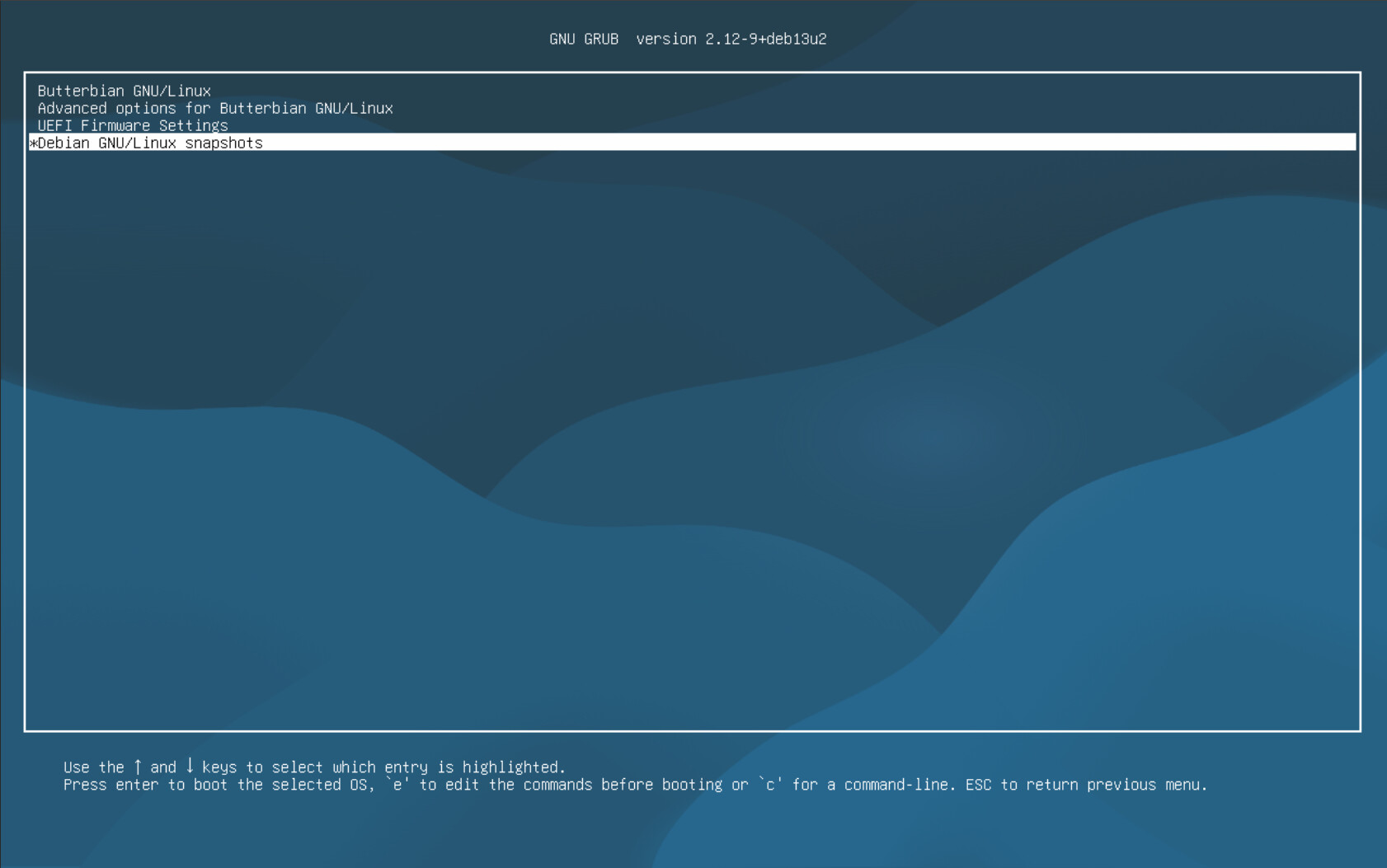
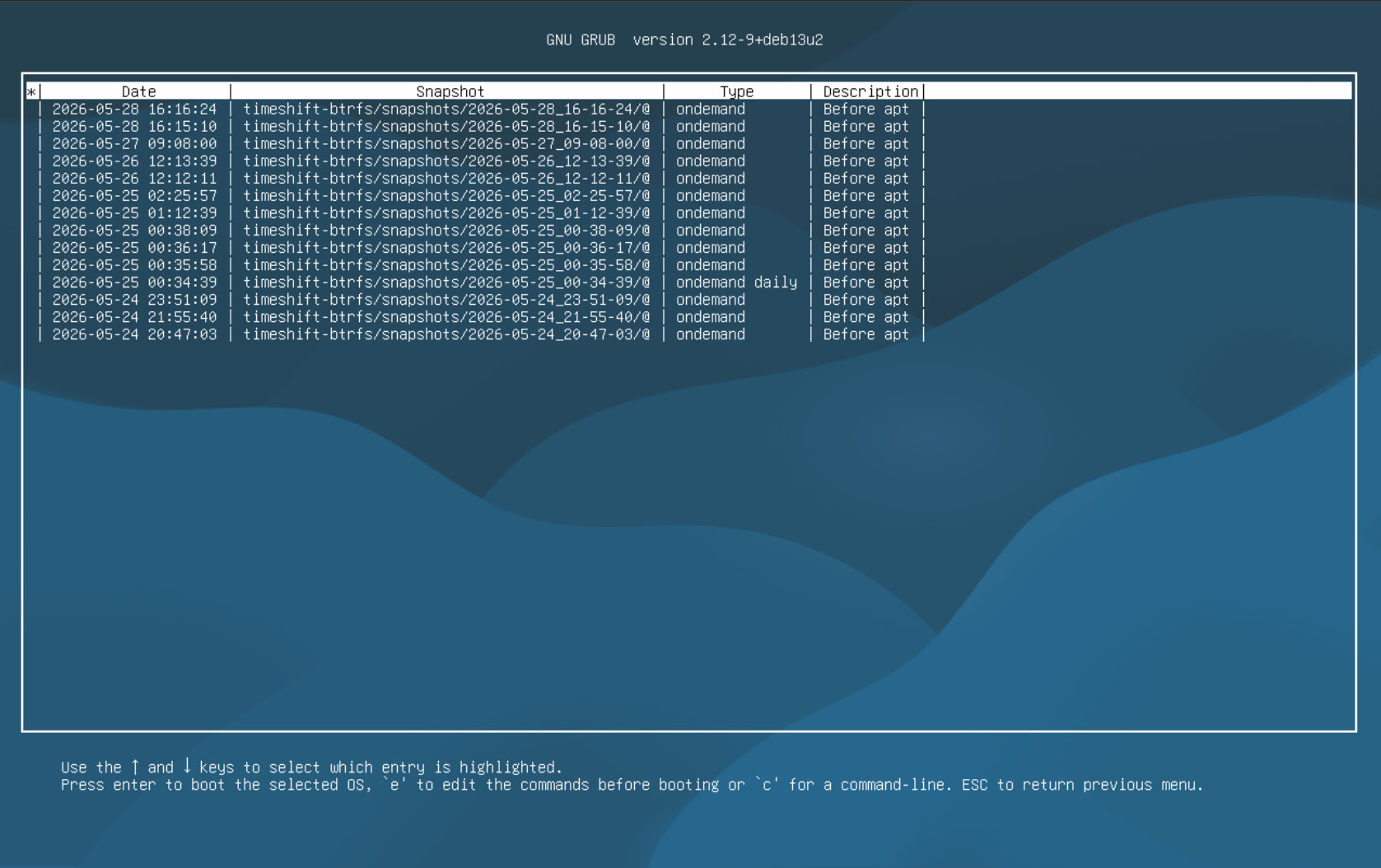
After a bit of research it only updates the grub snapshot list when apt does a kernel update or it is run manually. As my butterknife install didn’t have the latest kernel on install it automatically updated the list. My butterbian install did have the latest kernel on install and there wasn’t an option in the list for snapshots. However when I ran it manually it showed in the grub list. My Butterbian install doesn’t do it with every apt transaction. Still haven’t figured if it’s just not something set or maybe I missed something. It does work — for the most part.
You nailed the cause. The grub-btrfs daemon only updates the menu when it can catch Timeshift running, and the quick scripted snapshots apt creates finish too fast for it (each one also mounts under its own /run/timeshift/ path, so the daemon never sees it). So the GRUB snapshot list only refreshed when something else ran update-grub, like a kernel update. That’s why the butterknife box looked like it “just worked” — the first upgrade pulled a kernel and regenerated grub — and the already-current butterbian didn’t. “F$#@ ME!”
Fixed in 0.3.2: it now regenerates the snapshot list after every apt transaction, so any install or upgrade shows up in the GRUB menu, not just kernel updates. Same fix is going into butterknife. Thanks for the detailed digging, made this easy to pin down.
Glad I could be of some help. Also I’d like to thank you for the videos and the scripts you have created. It is incredibly well documented. Studying your work helps me understand the system better and even helped me solve a problem with timeshift I’d been having with my souped up Dell powered desktop that I use as my main machine which runs Linux Mint only because of the stupid Nvidia card. (No I can’t replace it because it has to be half height and sip power. The low end AMD card I bought kept shutting off the system when it started doing heavy graphics work.)
 (No I can’t replace it because it has to be half height and sip power. The low end AMD card I bought kept shutting off the system when it started doing heavy graphics work.)